Block distractions.
Keep the commitment.
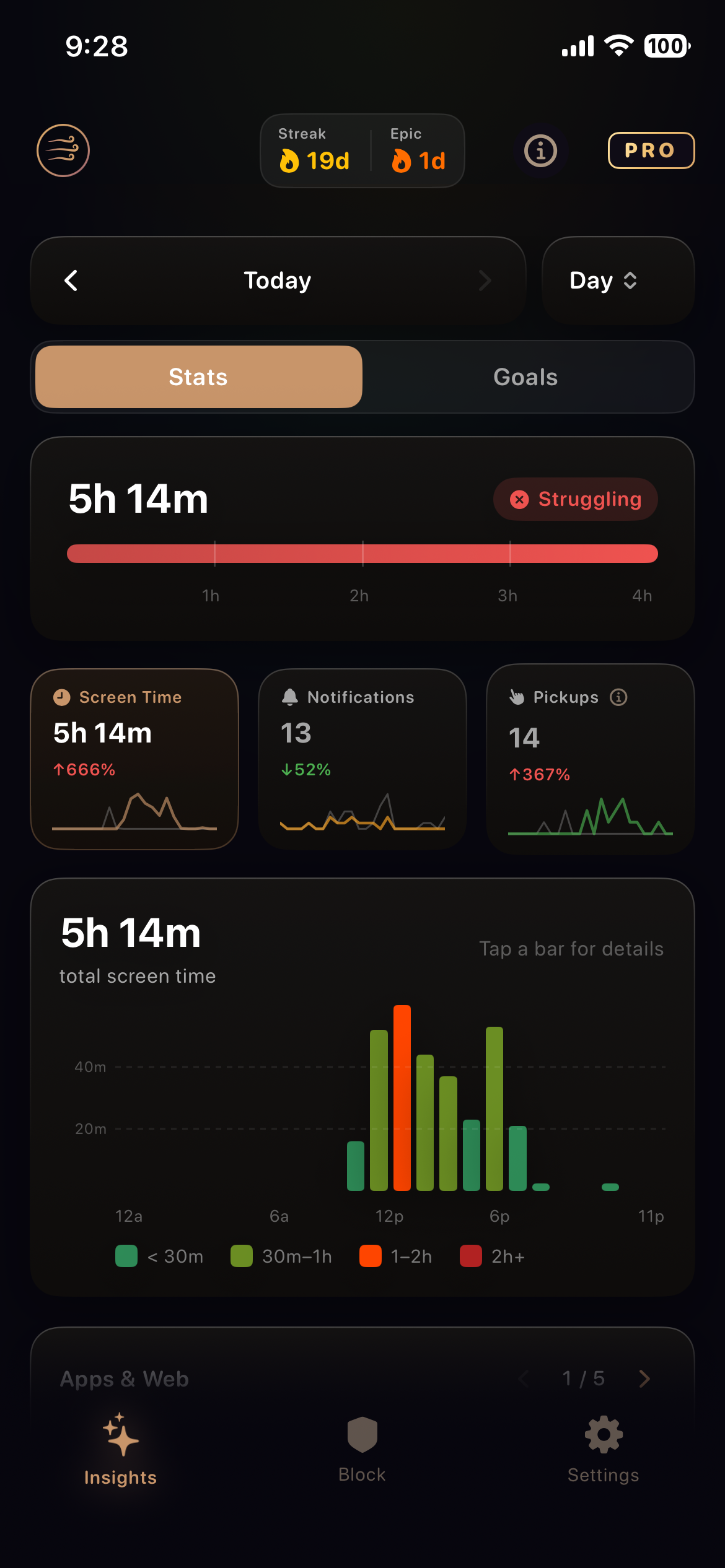
Kazeway provides you with the data & stats to understand your habits. It makes your phone detoxing effort deliberate.
See it before you fix it
Kazeway reads your Screen Time on device and turns it into something you can act on.
Friction is the feature
Decisions that make a commitment hold once you have made it.
No stopping on impulse
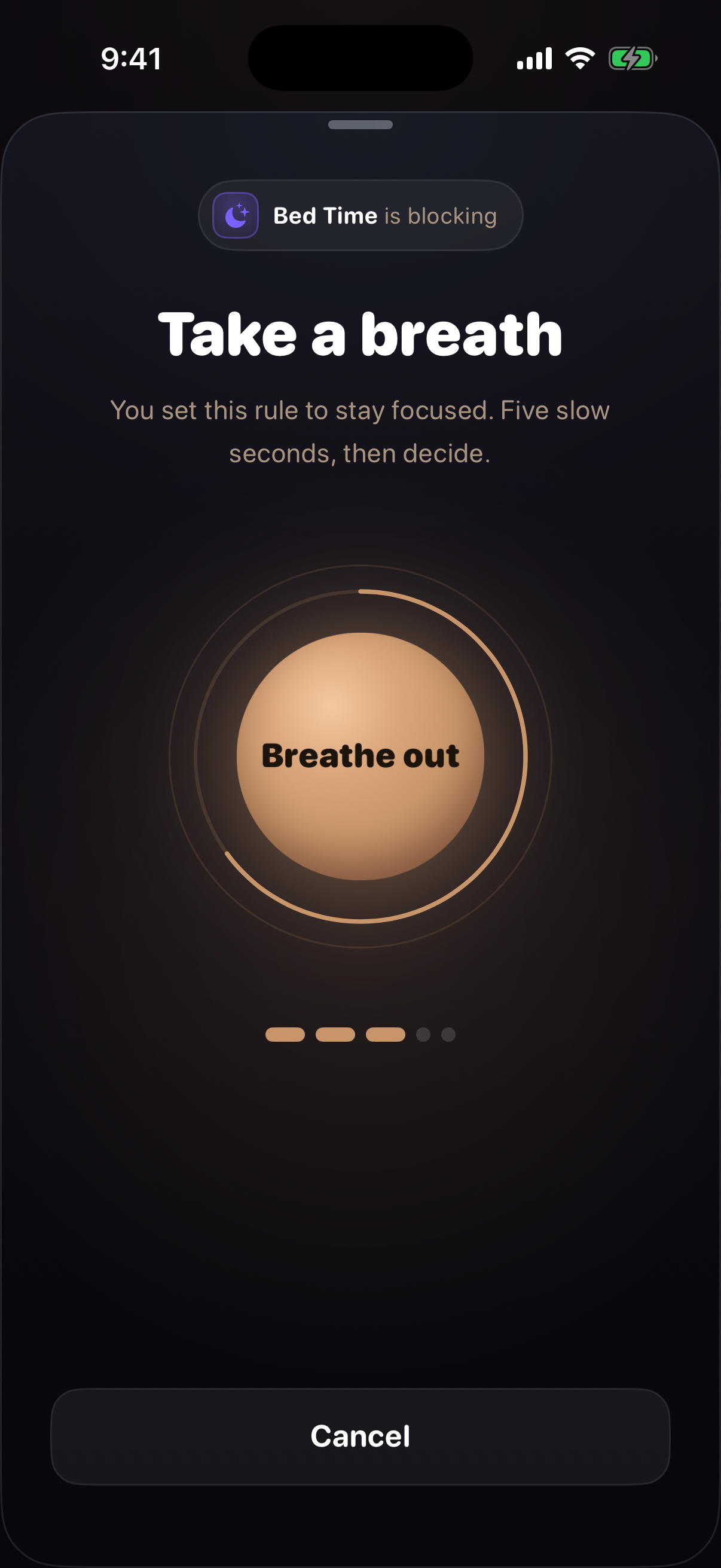
The way out of a running rule is Stop, behind a 5-second breathing gate — with puzzles and games coming soon. A running rule can't be edited or deleted, and Siri has no command to end one.
Breaks are a budget
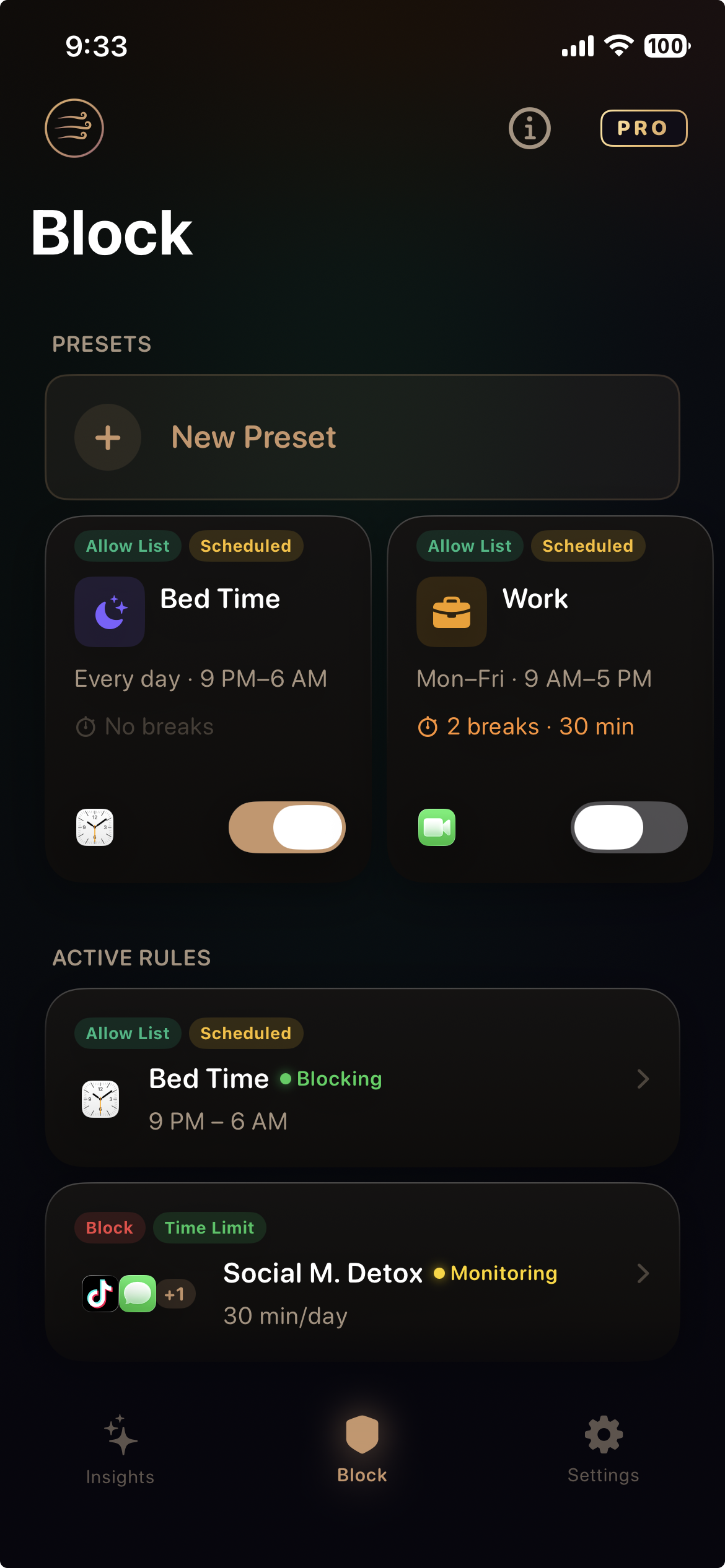
You decide in advance how many breaks a rule allows each day, and how long each one lasts. When a break ends, the block returns on its own. Spend them carefully.
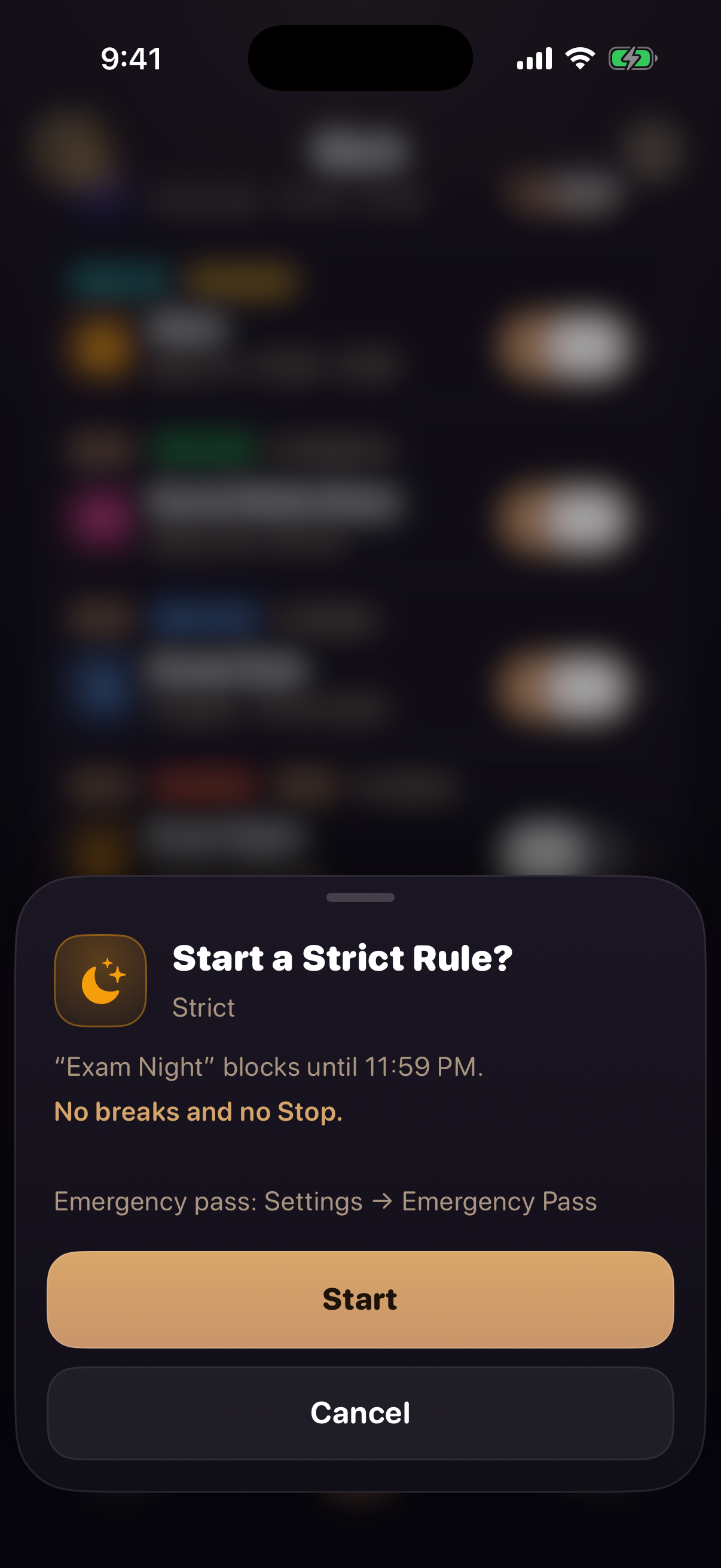
Strict, for when you mean it
A setting on any rule except Open Limit. While a strict rule is blocking, there is no way round it on impulse.
No breaks, no Stop
Until the rule ends, it can't be interrupted by a break or Stopped behind the gate.
The phone holds the line too
While it blocks, apps can't be deleted — Kazeway included — and the date and time can't be set by hand.
One emergency pass a week
For the day something comes up that you couldn't plan for: one pass ends every strict rule at once. It's in Settings, behind the breathing gate, and comes back a week later.
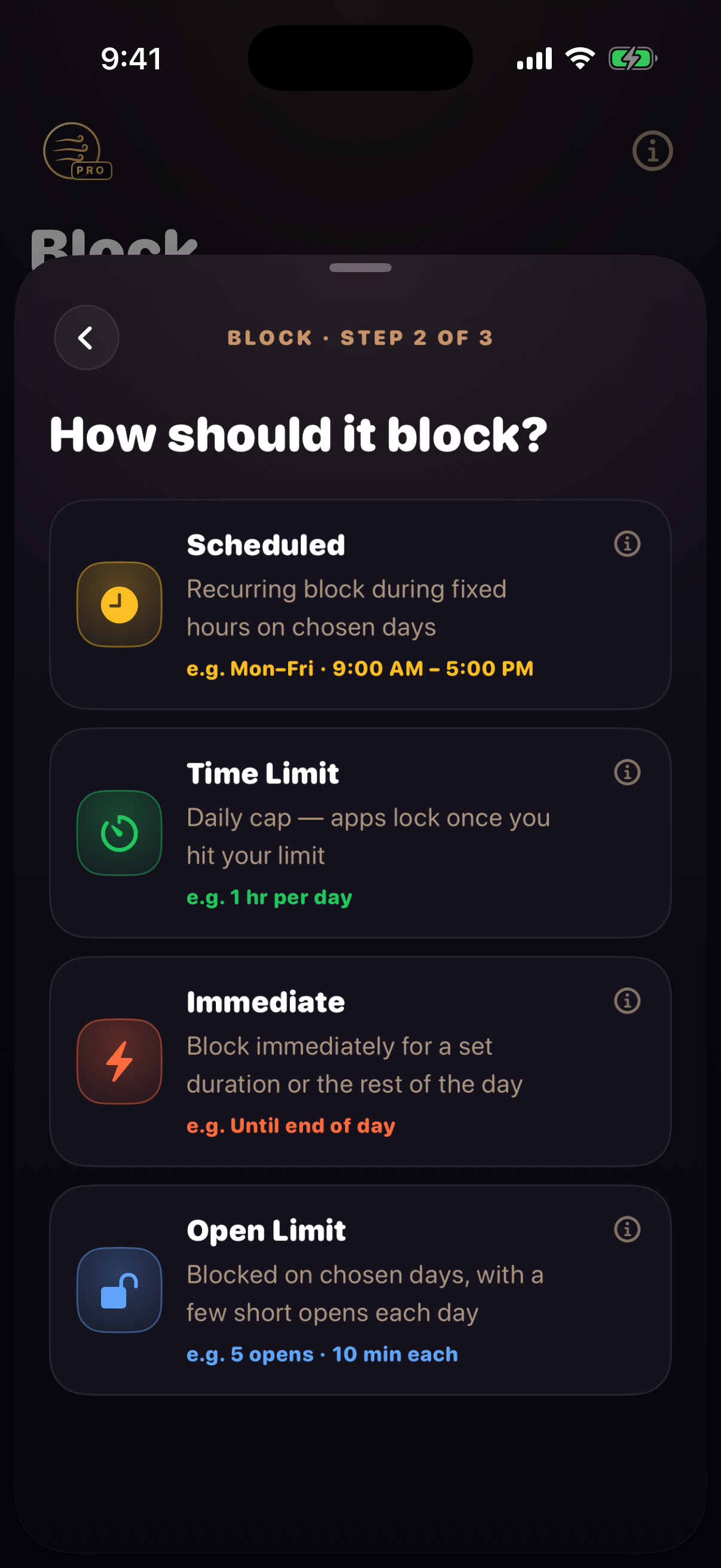
Creative ways to block
Block the apps you choose, or allow only the few you need. Build as many rules as you like; Allow Lists are part of Kazeway Pro. New accounts start with four to adjust: Bed Time, Work, Social Media Detox and Sneak Peek.
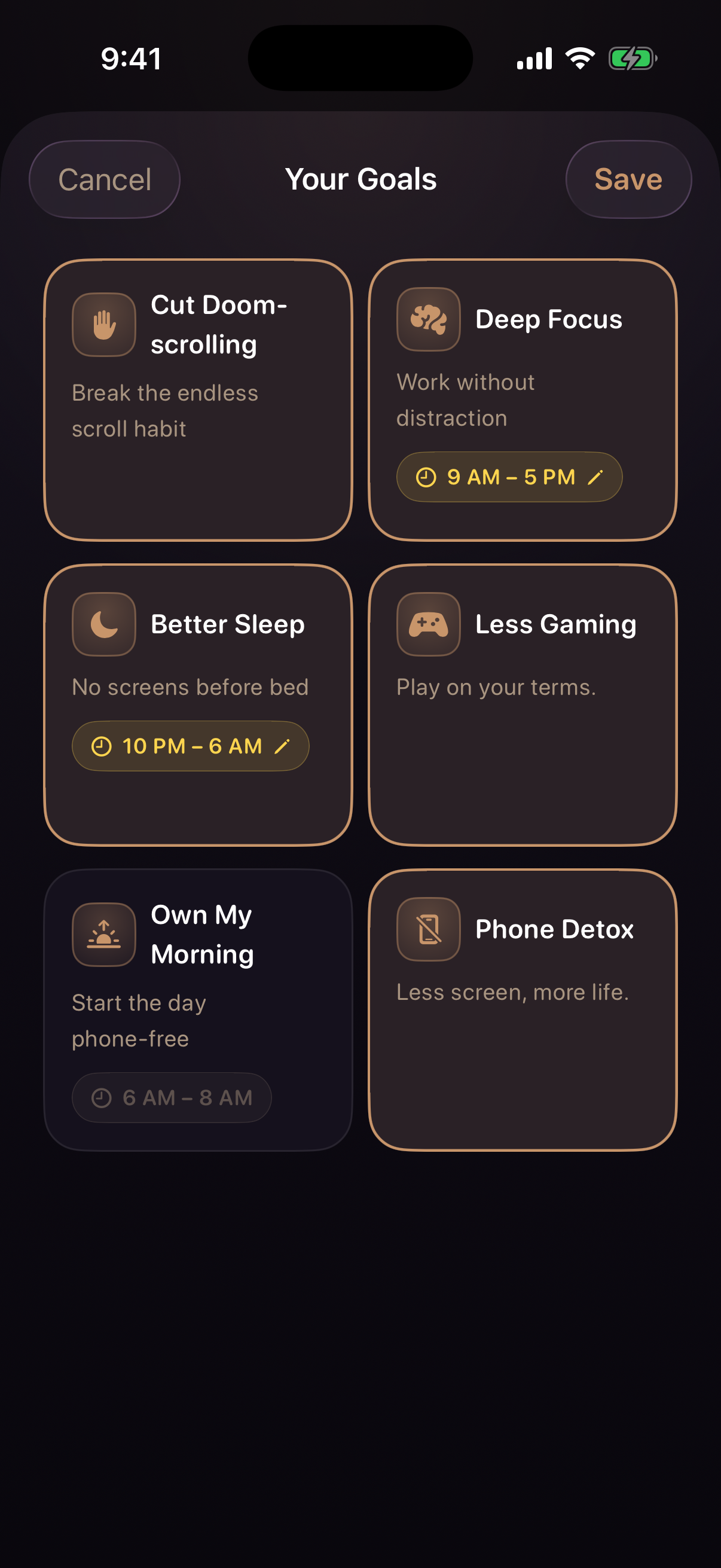
Built around six goals
Pick the ones that matter to you, and Kazeway shows whether each is improving, measured against your previous days.
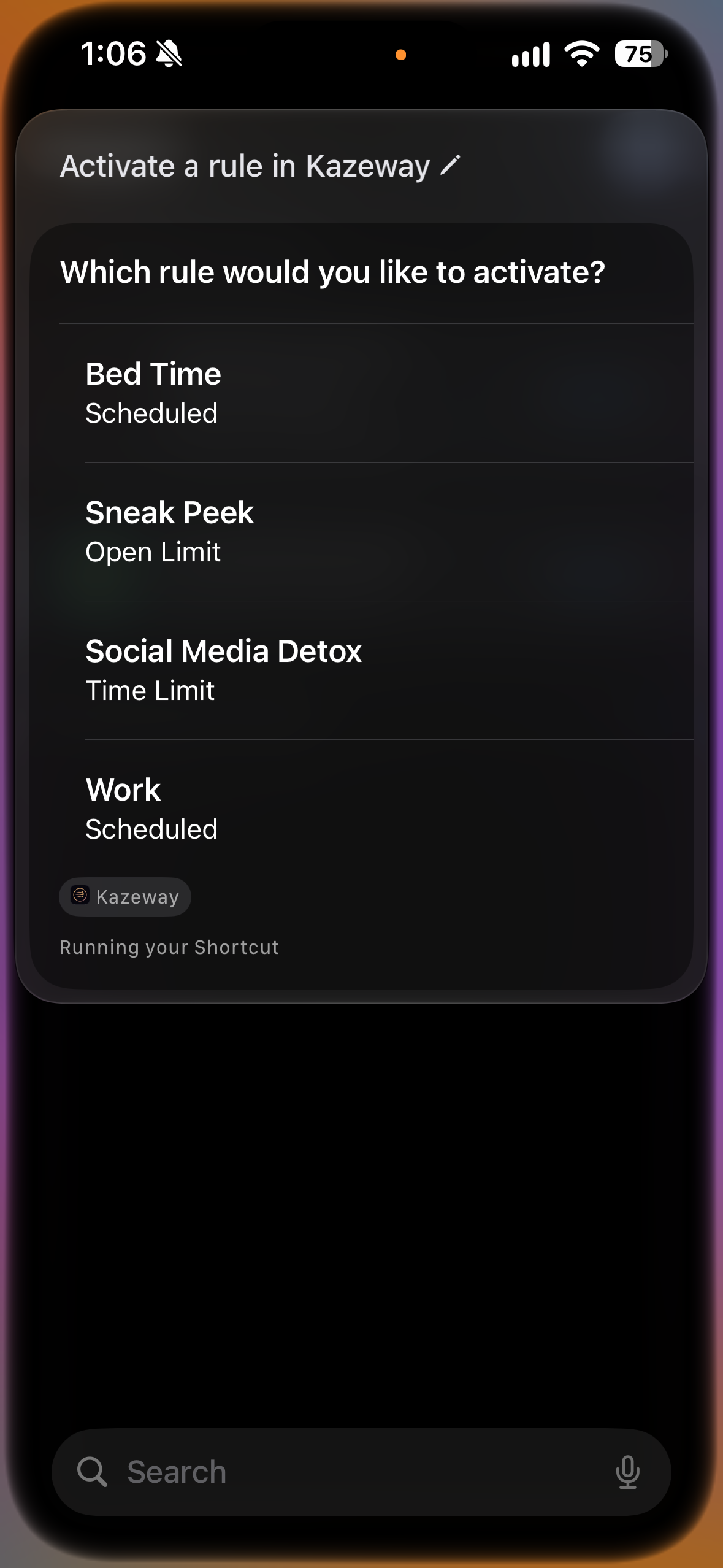
Hands free, one way
Siri can activate a rule and tell you which ones are running. Getting out is still on you — Siri won't help you quit on impulse.
Activate a rule
“Hey Siri, activate a rule in Kazeway.” Name it, confirm, and the rule is on — no tapping through the app.
Ask what is running
“Hey Siri, what’s blocking in Kazeway?” A straight answer on which rules are active and how long is left.
Won't stop a rule
There is deliberately no voice command to end a rule. A shortcut that could undo your commitment is not convenience — it is cheating and a step too easy to quit on impulse.
Built to ask for as little as possible
Here is exactly what stays on your phone, and what does not.
- Your Screen Time data stays on your device. Apple's Family Controls framework is built so the app that displays it cannot send it anywhere. We never see it.
- No ad tracking. Kazeway uses no advertising SDKs and does not track you across other apps or websites. We don't sell your data.
- iCloud backup keeps your setup. Each device backs up its own rules, goal settings and app settings to your private iCloud container, so they come back if you reinstall the app. That's Apple's storage, not ours — we can't read it. You can turn it off in Settings.
- Purchases go through Apple and RevenueCat. RevenueCat receives an identifier for your subscription, your App Store receipt, and basic technical details like device model and country. Signed in to iCloud, that identifier is one Apple creates for your Apple Account and this app, which is what lets Pro follow you to your other devices and survive a reinstall. Otherwise it's a random identifier for that installation.
The full detail is in the privacy policy.